
April 1, 2026
·OpenEphemeris Team
The Developer's Guide to Astrology APIs
How to evaluate an astrology API, why the ephemeris kernel decides your accuracy, and a natal-chart call you can paste in today.
Astrology is having a developer moment.
The market for astrology applications, wellness tools, and AI-powered chart products is growing fast — and the calculation problem is the first wall every developer hits. Astronomical position data is not a lookup table. It is computed. Doing that computation correctly, for every planet, every house system, across any date in history, is weeks of work before you write a single line of product code.
An astrology API handles all of it in a single request. This guide covers exactly what that means — the inputs the API needs, how to shape the request, what comes back, how to cache it intelligently, and what to watch for when you are building this for the first time.
What Astrology Calculation Actually Involves
A natal chart has four layers of computation, each depending on the one before it.
Ephemeris lookup is the foundation. The position of each planet at the birth moment is computed from an ephemeris — a mathematical model of solar system dynamics, built from gravitational equations. The professional standard is NASA JPL's DE440 series, which means your app can calculate positions for the Sun, Moon, and planets for any moment from 1550 to 2650 CE with sub-arcsecond precision (1600 to 2200 CE for the extended asteroid, centaur, and trans-Neptunian catalog). That precision matters: a few arcminutes of error at this layer compounds into degrees of error everywhere above it.
House system calculation comes next. The celestial sphere is divided into twelve houses based on the birth location and time — which means two people born at the same moment in different cities have different house placements. Different house systems (Placidus, Whole Sign, Koch, Equal, Regiomontanus) use different geometric methods and produce different cusps. Most Western practitioners use Placidus as default, but a serious API supports all of them.
Aspect calculation requires exact degrees. Aspects are angular relationships between planets — a square is 90°, a trine is 120°, a conjunction is 0° — and whether an aspect is considered active depends on the orb, the allowed deviation from exact. Miss the degree by a few arcminutes on one planet and a tight conjunction becomes no aspect at all.
Dignity assessment closes the chain. Each planet is evaluated for strength based on its sign and position — domicile, exaltation, detriment, fall. These are computed outputs of the positions above, not approximations.
None of this is impossible to build. But doing it correctly, with proper precision and edge case handling for every house system and body type, is months of work. A good API collapses it to one POST request.
The Two Inputs That Require Care
Every natal chart request needs exactly two things: a moment in time and a location. Both have common pitfalls that produce silent errors — calculations that succeed but return the wrong answer.
Datetime: Always UTC
Update (July 2026, API v4.0.0): the advice below still produces valid requests, but the failure mode it warns about no longer happens silently. A datetime that states a clock time without a zone is now rejected with a 400 rather than read as UTC — so the wrong-chart-without-an-error case this section describes can no longer reach you. You also no longer have to do the UTC conversion yourself: you can send the local wall-clock time and name its zone alongside it, and the engine resolves that date's DST for you. The API reference documents the current rules on every datetime field.
The API expects datetime in UTC, formatted as ISO 8601 with the Z suffix: 1987-07-15T14:01:00Z. The problem is that your users will give you a local birth time — "2:00 PM" — but you do not know their timezone without asking separately.
This is the most common first-time mistake. If you pass a local time as if it were UTC, the chart will calculate without error but return wrong positions. A user born at 2:00 PM in New York is born at 19:00 UTC, not 14:00 UTC. That five-hour difference moves the Moon by several degrees and shifts the rising sign entirely.
The fix is to collect birth city alongside birth time and use a timezone library to resolve the offset at the exact birth date — historical timezone offsets differ from modern ones, so using the current local offset for a 1964 birth will also be wrong in some cities. In Python, pytz handles this correctly:
from datetime import datetime
import pytz

def local_to_utc(date_str, time_str, timezone_str):
    """
    Convert a local birth datetime to UTC.
    date_str:     '1987-07-15'
    time_str:     '14:01'
    timezone_str: 'America/Chicago'  (IANA timezone name)
    """
    local_tz = pytz.timezone(timezone_str)
    naive_dt = datetime.strptime(f"{date_str} {time_str}", "%Y-%m-%d %H:%M")
    local_dt = local_tz.localize(naive_dt)
    utc_dt = local_dt.astimezone(pytz.utc)
    return utc_dt.strftime("%Y-%m-%dT%H:%M:%SZ")

# Example: born in Dallas, Texas
utc_datetime = local_to_utc("1987-07-15", "09:01", "America/Chicago")
# Returns: "1987-07-15T14:01:00Z"
For your UI, accept the birth city name and resolve it to an IANA timezone string (e.g. America/Chicago, Europe/London, Asia/Tokyo). Libraries like timezonefinder can derive the IANA timezone from coordinates if you have them first.
Unknown birth time: When users do not know their birth time — common for older records — the convention is to use noon local time. This produces a usable chart for all planetary positions except the Moon (which moves ~1° every two hours) and the Ascendant and house cusps (which require exact time). Many practitioners note the chart as time-unknown and omit those placements. Your application should accept a time_unknown flag and communicate this limitation to users.
Coordinates: Latitude and Longitude
The API needs decimal latitude and longitude — 32.7767 and -96.797 for Dallas, not 32° 46' 36" N, 96° 47' 49" W. Precision to four decimal places (~11 meters) is more than sufficient for chart calculation.
The fastest way to get coordinates from a city name is a geocoding API. For free use at low volume, OpenStreetMap's Nominatim works without a key:
import requests

def geocode_city(city_name):
    """Resolve a city name to (lat, lon) using OpenStreetMap Nominatim."""
    response = requests.get(
        "https://nominatim.openstreetmap.org/search",
        params={"q": city_name, "format": "json", "limit": 1},
        headers={"User-Agent": "your-app-name/1.0"}
    )
    results = response.json()
    if not results:
        raise ValueError(f"Could not geocode: {city_name}")
    return float(results[0]["lat"]), float(results[0]["lon"])

lat, lon = geocode_city("Dallas, Texas, USA")
# Returns: (32.7762719, -96.7969879)
For production use, Google Maps Geocoding or Mapbox give more reliable disambiguation of city names — "Springfield" alone returns ambiguous results. For historical birth places, consider that city boundaries and names have changed; users providing a birth city of "Saigon" are providing present-day Ho Chi Minh City.
Shaping Your Request
The natal endpoint accepts several parameters worth understanding before you build.
house_system — defaults to placidus if omitted. Supported values: placidus, whole_sign, koch, equal, regiomontanus, campanus, porphyry. If you are building for a general audience, Placidus is the safest default. If you are building for Vedic practitioners, Whole Sign is standard there. Consider making this a user preference rather than a hard-coded choice.
bodies — controls which celestial bodies are included. Omit it for the full set (Sun through Pluto plus Nodes, Chiron, Lilith). Specify an array to limit the response: ["sun", "moon", "mercury", "venus", "mars"] for a quick inner-planets-only call. Limiting bodies reduces response size, which matters if you are passing the output to an LLM.
format — "standard" (default) returns full structured JSON. "llm" returns the same data in a compact format optimised for language model consumption — roughly half the tokens, which means faster and cheaper LLM calls. Use standard when you are rendering a chart or storing the data; use llm when you are passing it directly into an AI prompt.
ayanamsa — for Vedic charts, this sets the correction applied to convert tropical positions to sidereal. The default is lahiri, which is the most widely used. Others include raman and krishnamurti. Tropical Western charts do not use this parameter.
A fully shaped request looks like this:
curl -X POST https://api.openephemeris.com/ephemeris/natal-chart \
  -H "Authorization: Bearer YOUR_API_KEY" \
  -H "Content-Type: application/json" \
  -d '{
    "natal_datetime": "1987-07-15T14:01:00Z",
    "natal_latitude": 32.7767,
    "natal_longitude": -96.797,
    "house_system": "placidus",
    "bodies": ["sun", "moon", "mercury", "venus", "mars",
               "jupiter", "saturn", "uranus", "neptune", "pluto",
               "north_node", "chiron", "lilith"],
    "format": "standard"
  }'
Understanding the Response
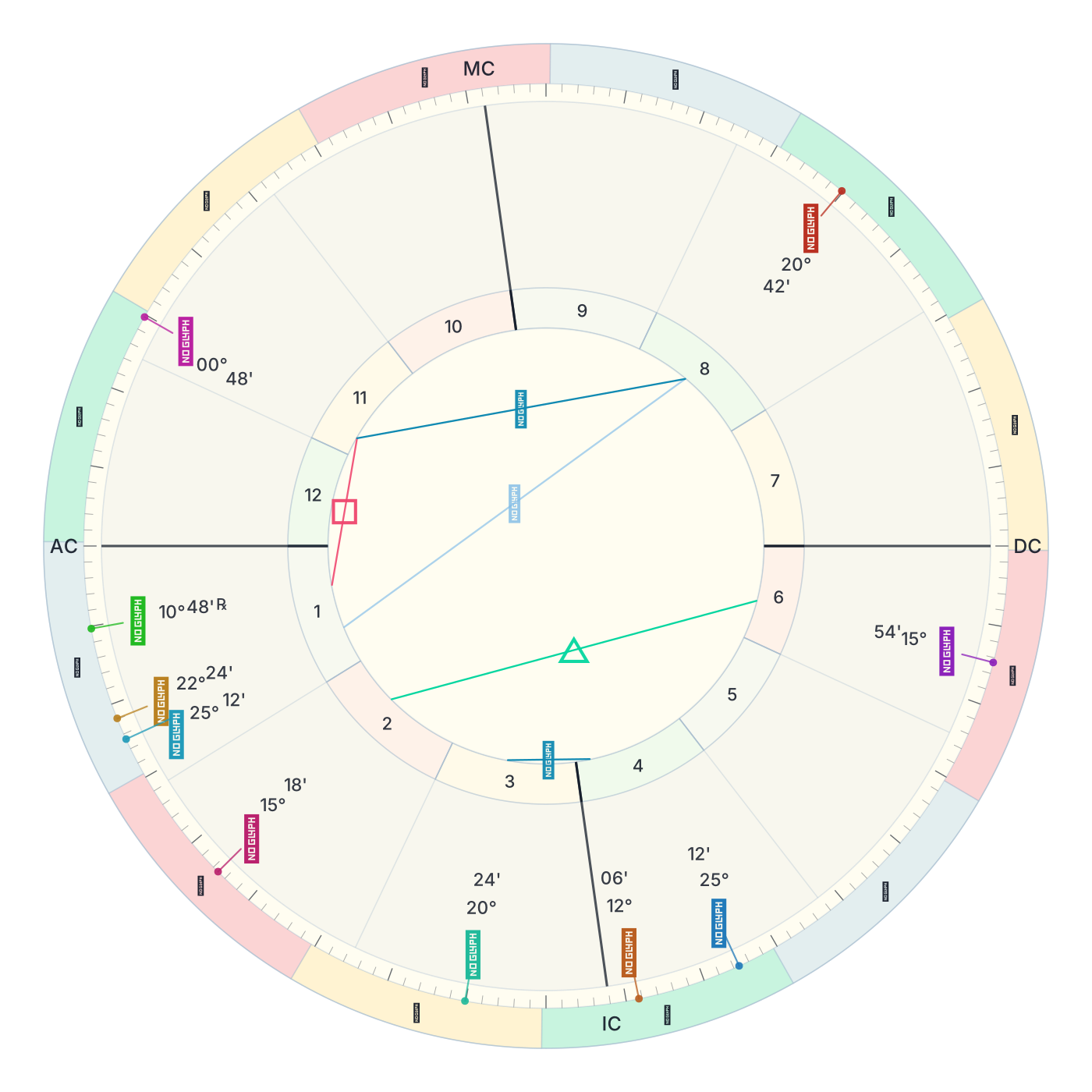
A standard natal chart response is structured JSON, organized by planet. Each planet entry includes its sign, decimal degree within the sign, absolute ecliptic longitude (0–360°), house number, speed (positive = direct, negative = retrograde), and dignity state:
{
  "planets": {
    "sun": {
      "sign": "Cancer",
      "degree": 22.84,
      "longitude": 112.84,
      "house": 11,
      "speed": 0.953,
      "retrograde": false,
      "dignity": "peregrine"
    },
    "moon": {
      "sign": "Gemini",
      "degree": 4.23,
      "longitude": 64.23,
      "house": 10,
      "speed": 13.21,
      "retrograde": false,
      "dignity": "peregrine"
    }
  },
  "houses": {
    "placidus": {
      "1": { "sign": "Virgo", "degree": 14.7 },
      "2": { "sign": "Libra", "degree": 8.3 }
    }
  },
  "ascendant": { "sign": "Virgo", "degree": 14.7 },
  "midheaven": { "sign": "Gemini", "degree": 11.2 },
  "aspects": [
    {
      "body1": "sun",
      "body2": "jupiter",
      "aspect": "trine",
      "orb": 1.24,
      "applying": false
    }
  ]
}
The LLM format returns the same data condensed into a structured text block — keyed by planet abbreviation, with positions and aspects on single lines — which means a full natal chart fits in roughly 500–800 tokens instead of 4,000–8,000. Use it when the data goes directly into a prompt. Use standard format when you are rendering it or persisting it to a database.
A Complete Python Example
Putting it together: collect user input, convert timezone, geocode the city, request the chart, handle errors.
import requests
import pytz
from datetime import datetime

API_KEY = "your_api_key"
BASE_URL = "https://api.openephemeris.com"

def geocode_city(city_name):
    resp = requests.get(
        "https://nominatim.openstreetmap.org/search",
        params={"q": city_name, "format": "json", "limit": 1},
        headers={"User-Agent": "my-astrology-app/1.0"},
        timeout=5
    )
    resp.raise_for_status()
    results = resp.json()
    if not results:
        raise ValueError(f"Could not find coordinates for: {city_name}")
    return float(results[0]["lat"]), float(results[0]["lon"])

def local_to_utc(date_str, time_str, iana_timezone):
    tz = pytz.timezone(iana_timezone)
    naive = datetime.strptime(f"{date_str} {time_str}", "%Y-%m-%d %H:%M")
    return tz.localize(naive).astimezone(pytz.utc).strftime("%Y-%m-%dT%H:%M:%SZ")

def get_natal_chart(
    birth_date,       # "1990-03-21"
    birth_time,       # "12:00" — use "12:00" if time unknown
    birth_city,       # "London, England"
    iana_timezone,    # "Europe/London"
    house_system="placidus",
    output_format="standard"
):
    utc_datetime = local_to_utc(birth_date, birth_time, iana_timezone)
    lat, lon = geocode_city(birth_city)

    response = requests.post(
        f"{BASE_URL}/ephemeris/natal-chart",
        headers={"Authorization": f"Bearer {API_KEY}"},
        json={
            "natal_datetime": utc_datetime,
            "natal_latitude": lat,
            "natal_longitude": lon,
            "house_system": house_system,
            "format": output_format
        },
        timeout=10
    )
    response.raise_for_status()
    return response.json()

# Usage
chart = get_natal_chart(
    birth_date="1990-03-21",
    birth_time="08:30",
    birth_city="London, England",
    iana_timezone="Europe/London"
)

sun = chart["planets"]["sun"]
print(f"Sun: {sun['sign']} {sun['degree']:.2f}° — House {sun['house']}")
Caching Strategy
Natal charts are immutable. The position of every planet at a specific moment in history does not change. Once you have computed and stored it, you never need to request it again — which means natal charts should be cached indefinitely, keyed by the combination of datetime, latitude, longitude, and house system.
Transit data is different. It changes continuously. A transit forecast for "the current week" is stale by tomorrow. Cache transits for the duration they cover, not longer.
A simple pattern: store natal chart responses in your database against a hash of the input parameters. On subsequent requests, check the cache before calling the API. This eliminates redundant credits on your most frequently used endpoint.
import hashlib, json

def chart_cache_key(datetime_utc, lat, lon, house_system):
    payload = f"{datetime_utc}|{lat:.4f}|{lon:.4f}|{house_system}"
    return "natal:" + hashlib.sha256(payload.encode()).hexdigest()[:16]
What a Complete Astrology API Covers
Beyond the natal chart, a complete astrology API covers the full range of what practitioners and applications actually need:
- Transit calculations — where planets are now relative to natal positions, when they perfect, how long they last
- Secondary progressions and solar arc directions — predictive techniques requiring precise natal data as input
- Solar and lunar returns — the chart for the exact moment the Sun or Moon returns to its natal degree each year or month
- Synastry and composite charts — comparing two charts, or blending them into a single relationship chart
- Astrocartography — computing where each natal planet is angular across the globe, to precise geodetic coordinates
- Human Design — the bodygraph, type, authority, definition, and channels, all derived from exact birth calculation
- Vedic (sidereal) charts — positions in the sidereal zodiac using the Lahiri ayanamsa, with nakshatra placements
- BaZi (Chinese Four Pillars) — the four pillars, ten gods, and luck pillars, keyed to the 24 solar terms rather than the civil calendar
- Electional windows — searching forward in time for moments when planetary conditions match criteria you specify
If the API you are evaluating does not cover transits, progressions, and returns, you will hit its ceiling on your first serious feature. The full OpenEphemeris endpoint catalogue breaks these out by category, with the precision and date-range figures for each.
What to Look for When Evaluating Options
Ephemeris source. Is it computing against real JPL data? For applications that need positions decades into the future or past, the precision of the underlying model determines the accuracy of everything above it. We wrote up how the Swiss Ephemeris and JPL DE440 differ in practice if you are weighing that specific choice.
House systems supported. Placidus and Whole Sign cover most Western use. Koch, Equal, Campanus, Regiomontanus, and Porphyry cover the rest of the professional market. If the API supports only one or two, your users will notice.
LLM-optimized response format. Raw chart JSON runs 4,000–8,000 tokens. An LLM-native format cuts that significantly, which means faster inference and lower cost per request — and it matters from the first AI feature you ship.
Predictive endpoints. Natal charts cover a fraction of what practitioners use daily. Transit forecasts, returns, progressions, and electional searches are the endpoints your product will depend on at month three. Evaluate them upfront.
Credit transparency. Know exactly what each calculation costs before you build. Unclear credit costs produce budget surprises in production.
Credit Cost Reference (OpenEphemeris)
| Calculation Type | Credits |
|---|---|
| Natal chart, moon phase, dignity check | 1 credit |
| Human Design chart | 2 credits |
| Synastry / composite | 3 credits |
| Transit forecast, progressions, returns | 5 credits |
| Astrocartography | 10 credits |
The free Explorer tier provides a one-time grant of 150 credits with no credit card required — which means you can build and test your full integration before spending anything.
The full API reference is at openephemeris.com/docs. The OpenAPI spec is at api.openephemeris.com/openapi.json — import it into Postman, Insomnia, or any HTTP client and every endpoint is ready to call. If you are building for AI agents, the MCP server handles all of this conversationally: no API calls in your code, just natural language from Claude or any MCP-compatible runtime.
One request. Every calculation your chart application needs.